Client Login Information
Solution No. 56
Client Login Information can be used to securely save various logins you may need to have access to.
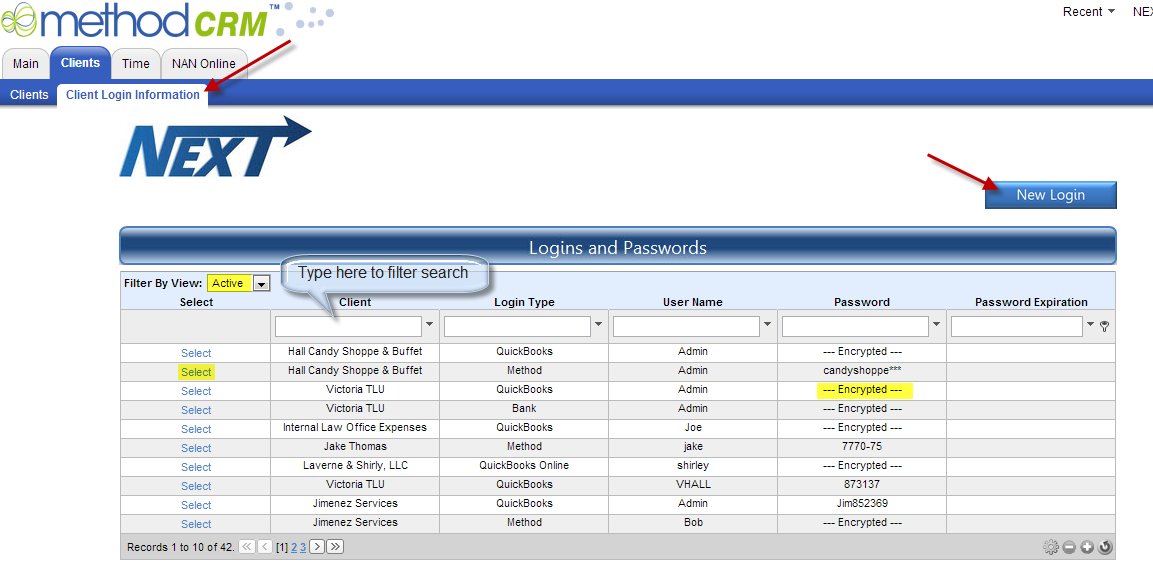
From the Clients tab, click on the Client Login Information Tab.
Here you can Click the New Login button in the upper right to create a new login, filter your view by Active/Inactive, or Select a record to view or edit.
Encrypted Passwords will not be shown on this page. If you have permission to see Encrypted passwords you will need to Select the record.
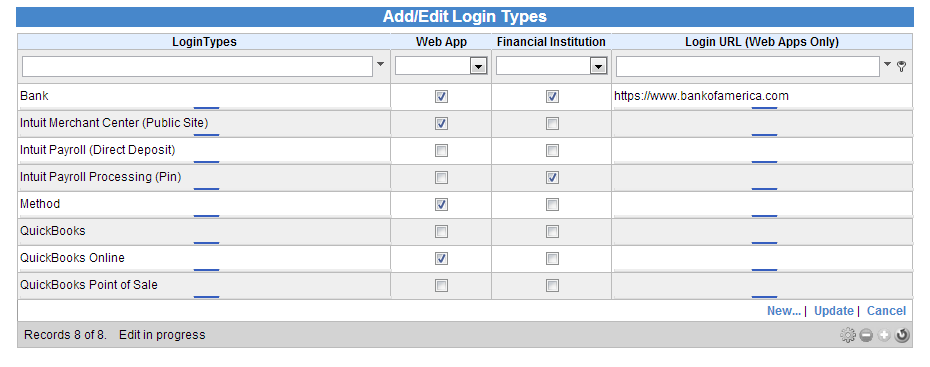
 When Adding/Editing Login Information you can choose the Login Type or create a new type by clicking the button with the three dots … on it.
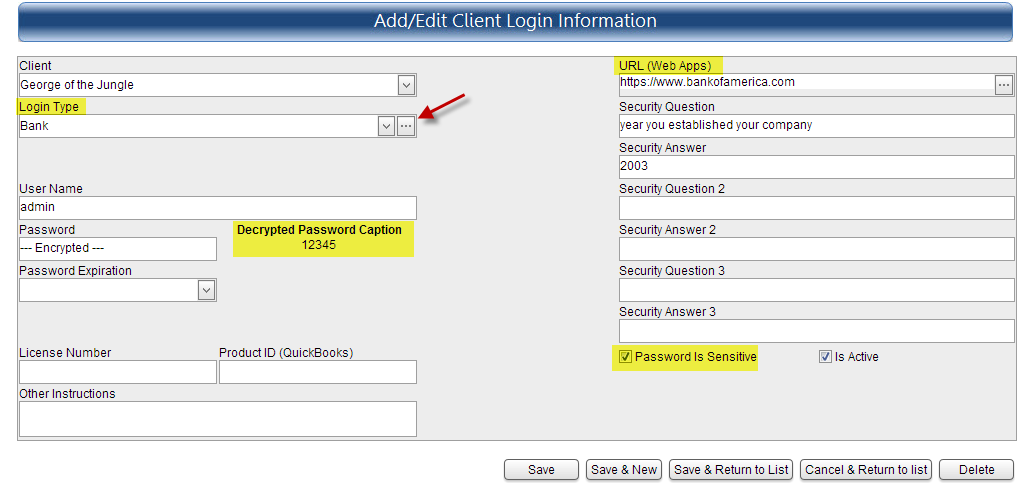
 Different Types will display different information. For instance, this is a Web Application and a Financial Institution; therefore an area for a URL as well as three security questions/answers is available.
At the bottom you will be able to choose whether the Password is Sensitive or not. This will determine if it is encrypted. How a User is set up in NEXT preferences determines if they can see Decrypted Passwords.
Then Save & Return to List
| Created by | Robin H. on | Jun-13-2013 |
| Last modified by | Robin H. on | Jun-13-2013 |